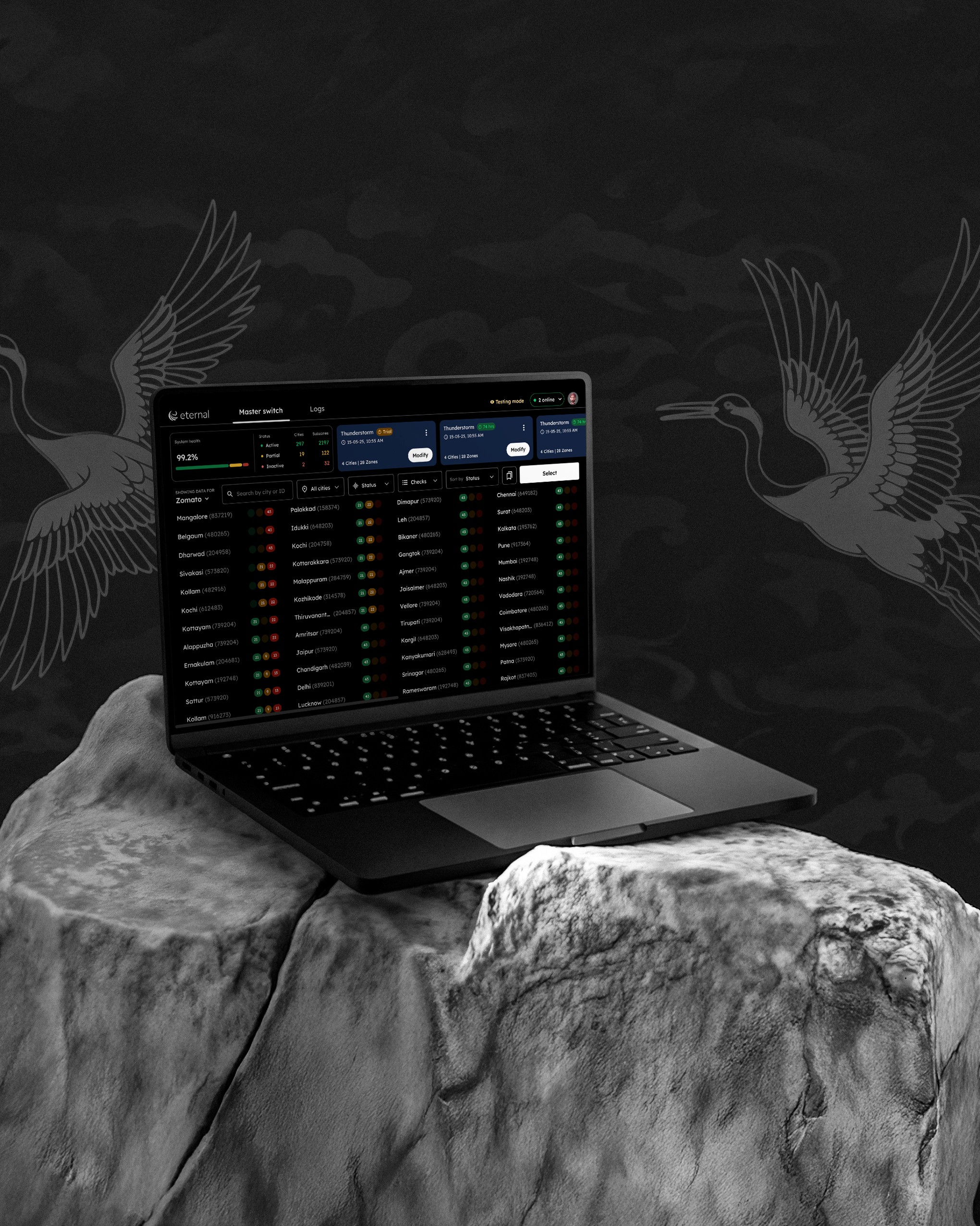
Eternal Masterswitch
For
Zomato & District SRE team
Duration
~6 weeks
Tags
#B2B
#0 —>1
#Web Platform
Team
Product design intern
3 Engineers
VP of design
VP of engineering
Role
Leading Design & Mentoring
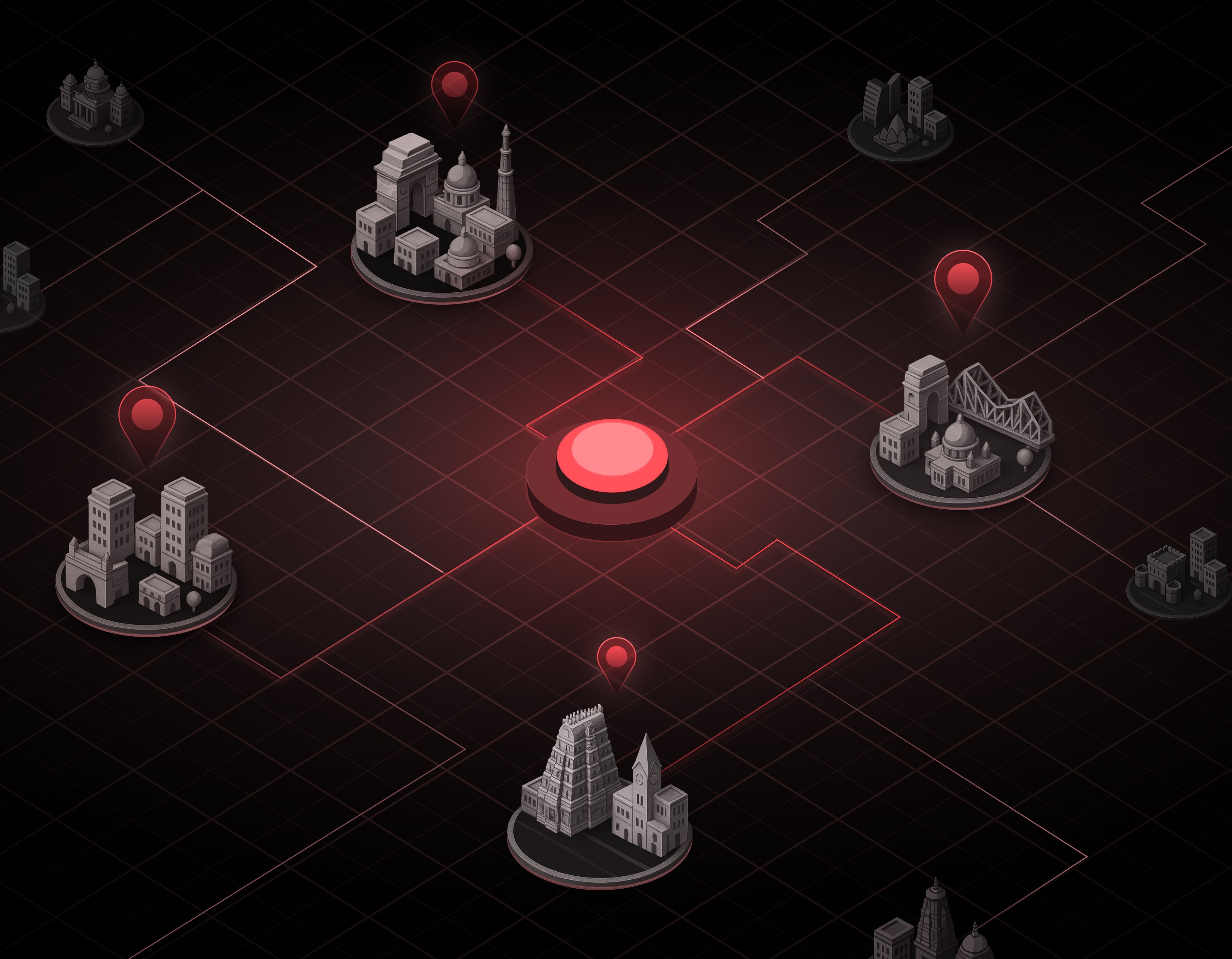
Serving over 80 million users, Zomato and District operate on a tightly connected ecosystem where even small disruptions can cascade into large scale failures. Across Zomato Delivery, Dining, and District, the platform depends on a precise balance between Consumers, Restaurants, and Delivery Partners. Any imbalance across these three sides directly impacts the others, leading to poor user experience, operational overload, emotional stress for partners, and direct financial loss. MasterSwitch was designed to preserve this balance during moments of uncertainty. It is an internal control system built at Eternal to manage platform functionalities across cities and sub zones on Zomato and District. Instead of relying on complete shutdowns during crises, MasterSwitch enables central SRE teams and city leadership to exercise deep, granular, and reversible control. This allows the platform to respond intelligently under pressure, selectively enabling services where conditions remain viable and intervention is necessary.
Why?
During incidents, platform control lacked a unified view of monitoring, action, and user communication.
Currently at Eternal, during high‑pressure situations, platform interventions were handled through multiple disconnected tools. Monitoring system health, understanding ground reality, and taking corrective action were spread across different surfaces, forcing teams to context switch at the exact moment when speed and clarity mattered most. Controls were largely binary in nature, leading to over‑corrections in some cases.
Zomato consumer app, restaurant partner app, delivery partner app, and District app responded to incidents independently, often requiring heavy manual planning and manual actions across tools. Decisions taken to manage traffic or capacity needed to be seamless and reliable. They also needed to be granular, reversible, and applicable at the level of cities and sub zones, while remaining aligned across platforms.
Goals
Product ecosytem
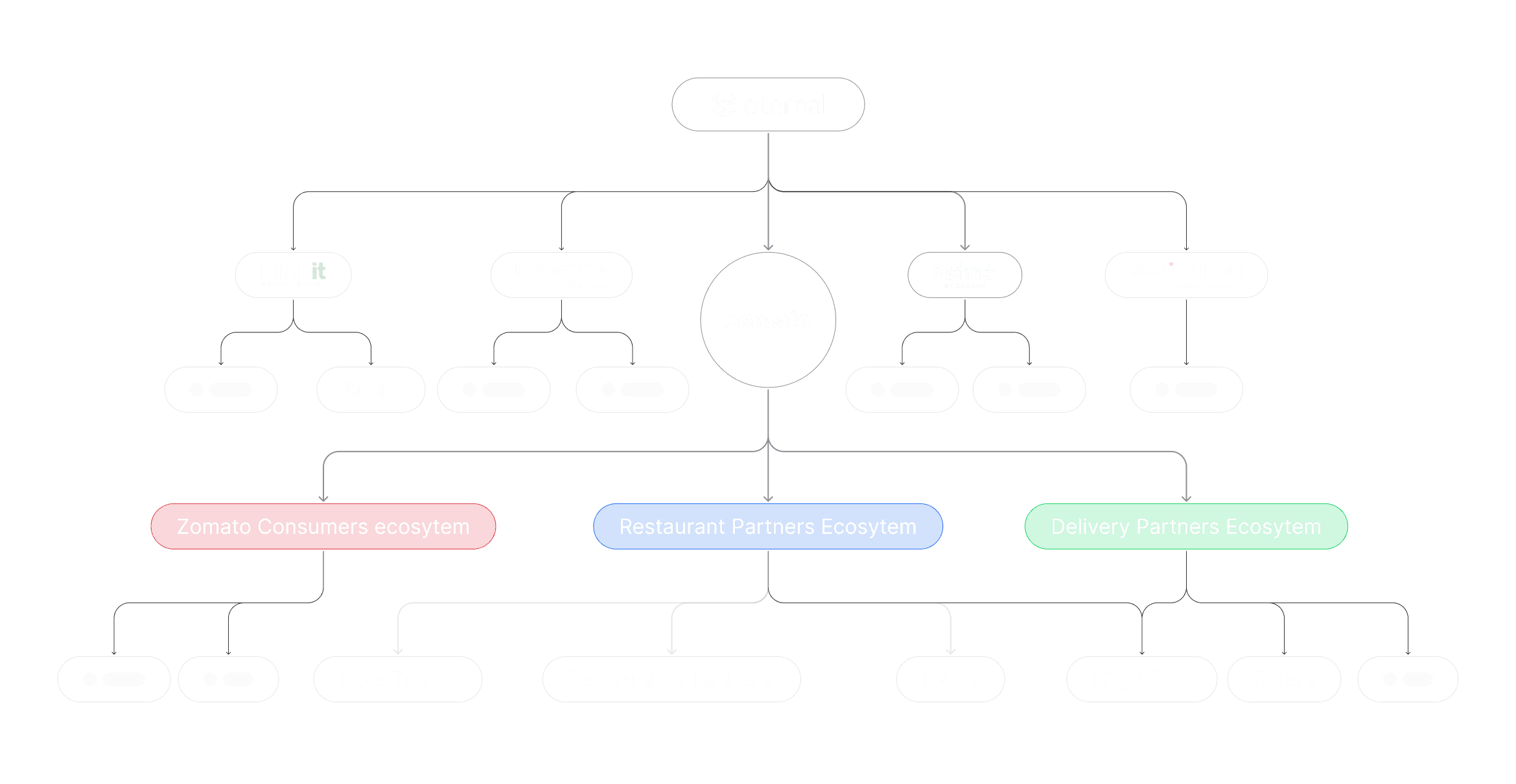
The Triangle That Powers the Platform
Zomato’s business efficiency relies on a three-way equilibrium.
Consumers → Demand, expectations, trust
Restaurants → Preparation capacity, uptime, reliability
Riders → Availability, safety, logistics throughput
This is not a linear system. Pressure on one side immediately affects the other two. When the equilibrium holds, the platform scales smoothly. When it breaks, inefficiencies compound rapidly across the ecosystem.
Core Functional Requirements
Birds-eye view
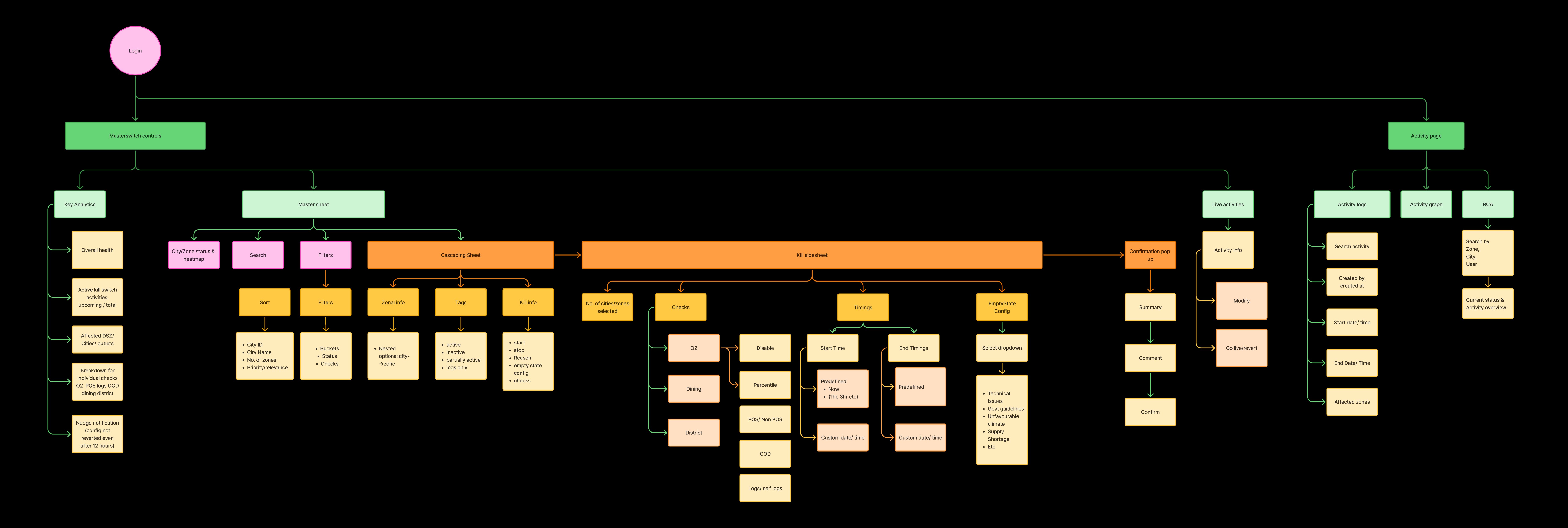
Turning complex requirements into clear system flows
With a lean team and no dedicated PM, I led the design direction, translating raw discussions with the SRE team and the Engineering leadership into something structured and workable. We began with card sorting as a structured brain dump of possible platform controls and crisis scenarios, mapping functional possibilities beyond simple city and sub‑zone shutdowns. From there, we broke these ideas down into clear, intention‑driven flows, helping define how the system should behave under different conditions before deciding how it should look.
Before vs After
From a Kill Switch to a Master Switch
Previously, platform control existed primarily as a basic kill switch that allowed teams to turn services on or off at a city level, driven by internal scoring. There were no sub‑zone level controls, limited visibility into system health signals, and no consolidated view of active interventions. Understanding what was running, what was restricted, and why often required switching between multiple tools and dashboards. The new design brings these scattered capabilities together into a single, cohesive surface. Instead of relying on isolated switches and external context, platform monitoring, and actions are unified in one place.
Dashboard Walkthrough
Showing some of the key flows and features that best represent how the tool works end to end.
# A single landing surface to observe system health and take action
The main dashboard serves as the single landing surface for observing platform and city health in real time. It lists all cities with clear health states such as active, partially active, or inactive, surfacing issues at a glance. Critical signals and controls are prioritised upfront, with affected cities automatically rising to the top to ensure failure first visibility. From this surface, users can initiate actions, track ongoing interventions, and use search and filters to focus on the situation at hand, allowing the system to prioritise while users focus on judgment.
# Understanding impact at a glance
The dashboard makes the state of cities immediately visible through clear, color coded indicators for active, partially active, and inactive states. These badges provide a quick visual signal of impact even from a distance. Hovering on partially active or inactive indicators reveals the exact affected sub zones, allowing users to understand scope instantly without navigating away. If deeper context is needed, users can drill into a city to see a detailed breakdown.
# Moving from system monitoring to action control without losing context
Clicking Select shifts the dashboard from system health monitoring into a three‑panel cascading layout for action. The city list becomes the first sheet for city selection, followed by a second sheet showing associated sub zones, with a third panel on the right for action configuration. This left to right flow mirrors how users naturally narrow decisions, from cities to sub zones to actions, supporting both broad and granular control. Keeping the entire flow within the same space, with the option to return using Select or Cancel, reduces disorientation and maintains awareness of system state during decision making.
# Trial runs before executing high‑impact actions
Before executing high‑impact actions, users can run controlled trials by applying actions to a specific set of user IDs instead of an entire city or sub‑zone. This allows teams to validate behavior and outcomes safely before scaling changes.
# Reducing repeated action setup through quick and recent actions
Recent actions and quick actions both exist to reduce repetitive setup and help users act faster. Recent actions surface the most recently initiated actions at the top, giving immediate visibility into what is currently active or was run recently, without needing to visit action logs. Quick actions allow users to intentionally save frequently used configurations for faster reuse. While created differently, both behave the same when selected. Clicking on either preloads the full configuration including cities, sub zones, and settings and takes the user directly into the cascading Action Center to review, modify, and initiate the action.
# Visualising and navigating actions with action logs
The Action Logs page serves as the central record for all platform actions, including enablement, disablement, and trial runs. It combines a visual timeline with a detailed, time‑ordered log, allowing users to quickly assess action frequency and scale and navigate directly to specific entries. Each log captures what changed, who initiated it, why it was taken, its intended duration, and the affected cities or sub zones, ensuring full traceability. From this page, users can also modify ongoing actions to adjust impact incrementally, stop actions when needed, or save completed actions as reusable configurations.
# Multi‑user access with built‑in safeguards
MasterSwitch is designed to support multiple users operating simultaneously, including City CEOs, regional heads, SRE admins, and even the CTO. All users can monitor system health in real time, while actions and visibility are scoped by role. City‑level users see and act only on their respective cities and zones, whereas SRE teams and leadership have access to the full system state. When multiple users are active, the system provides real‑time awareness through an online users indicator and proactive warnings if overlapping or conflicting actions are being configured. Soft warnings alert users when another action is in progress, while hard safeguards prevent contradictory actions from being executed. These controls ensure collaborative decision making without accidental overrides, even during high‑pressure situations.
# Context‑aware user communication during actions
Whenever an action is initiated in MasterSwitch, users are required to select a reason, which directly determines what end users see across different surfaces such as the consumer app, partner apps, and dashboards. Based on this reason, the system automatically maps the action (predefined) to the most relevant empty or failure state, ensuring communication stays context‑appropriate during incidents.
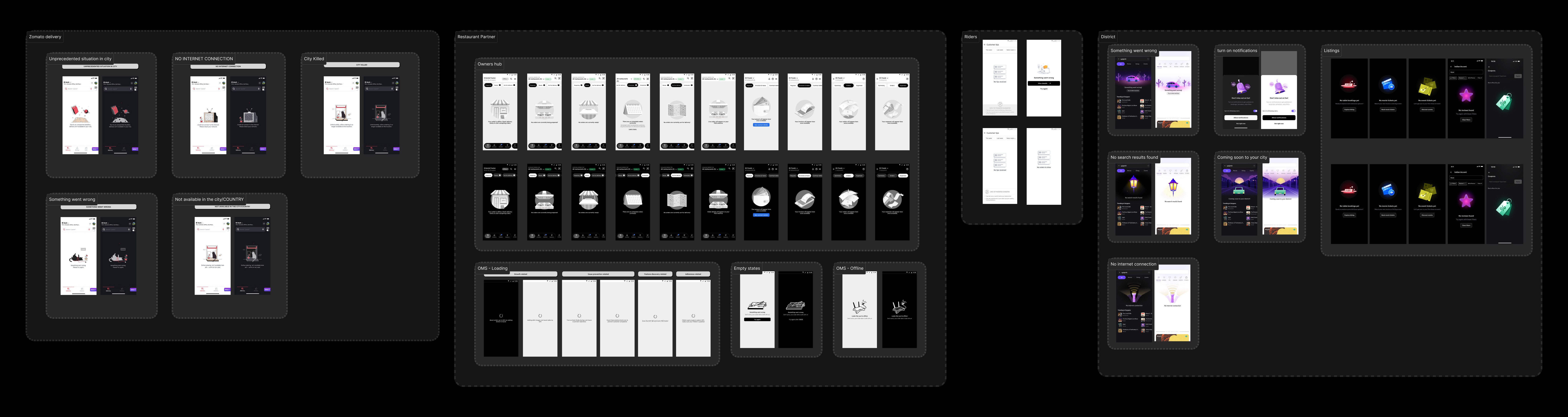
Note: For the MVP, we used the existing empty and failure state library, mapping each reason to the best available illustration and message. Consolidating states previously owned by individual product teams into a single SRE-managed library improved operational clarity. This system is built to scale, with support for custom states in the future.
Design for safeguarding
Given the scale and sensitivity of MasterSwitch, safeguarding was treated as a core design responsibility.
Every interaction, transition, and permission layer was intentionally designed to slow users down at critical moments, reinforce accountability, and prevent unintended system‑wide impact.

Impact
The tool was a hit with the SRE team and the leadership
Following a demo conducted a week before the New Year, MasterSwitch was launched and actively adopted from New Year’s Eve to support one of the highest-pressure periods for the platform. While success metrics cannot be shared publicly due to the internal nature of the tool, it saw real-time adoption to monitor system health and manage interventions during festival traffic, validating its reliability immediately after launch.
Improved cross‑team alignment
to operate from a shared understanding of system state and actions.
Reduced context switching
by bringing monitoring, context, and actions into one surface.
Better executive visibility into ops
by providing direct real‑time insight into platform health and interventions
Reflection & Takeaways
# My first experience mentoring end to end
This project was my first time mentoring an intern while also leading design for a complete, high‑stakes product from problem definition to production. Vedant, a product design intern from NID, worked very closely with me throughout this journey, and his curiosity and persistence had a real impact on how the work shaped up. Mentoring him pushed me to slow down, explain my thinking more clearly, give better feedback, and trust someone else with real responsibility. It also made me realise that leadership is less about having all the answers and more about creating space for others to do their best work.
I’m also genuinely grateful for the trust placed in me by Priyanka SVG (Design Lead), Joy Banerjee (VP Design), Gyanendra Kumar (VP Engineering), and the SRE team. Being trusted to lead a high‑stakes internal tool like this gave me the confidence to step up, take ownership, and back my decisions.
# No PM, Just curiosity and collaboration
With a lean team and no dedicated product manager, Vedant and I worked directly with the SRE team and engineering leads from day one. This required us to deeply understand operational constraints, technical realities, and system risks early in the process. Working this way taught me how to communicate design intent clearly, handle ambiguity without waiting for perfect inputs, and adapt quickly as new constraints emerged. It strengthened my ability to collaborate cross‑functionally and take ownership beyond design execution.
# Pushing beyond functional requirements to design for scale
The initial requirements from the SRE team were intentionally basic and focused on immediate needs. As designers, we looked beyond this by exploring edge cases, future scenarios, and scalability concerns. Through constant exploration, pitching ideas, and iteration, we were able to influence the scope of the tool and advocate for features that made the system more robust, safer, and more efficient in the long run. Seeing these ideas make it into production was a reminder of the impact design can have when it goes beyond solving for the present.